A Manchester United DLS kit is a 512×512 PNG image which you place in the Dream League Soccer by using a direct image link, instead of the default shirt that the team begins with. The first half of this guide explains what United are wearing in 2026/27 and how to differentiate between current and old files, most of the pages that offer these files are still giving away designs from last season, so that is what you will find.
Manchester United Official Logo
Official Logo 512×512
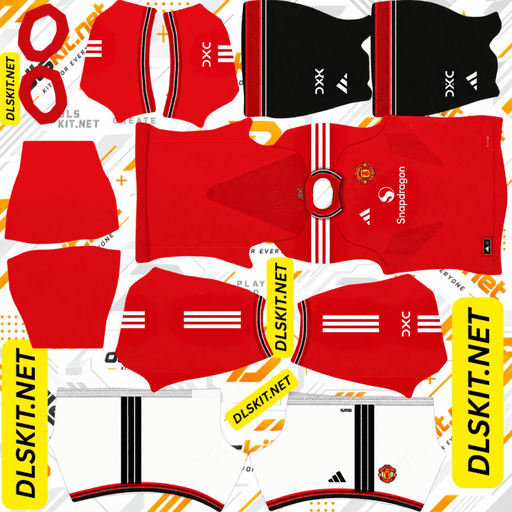
Manchester United Home Kit
Home Kit 512×512 (2026/27)
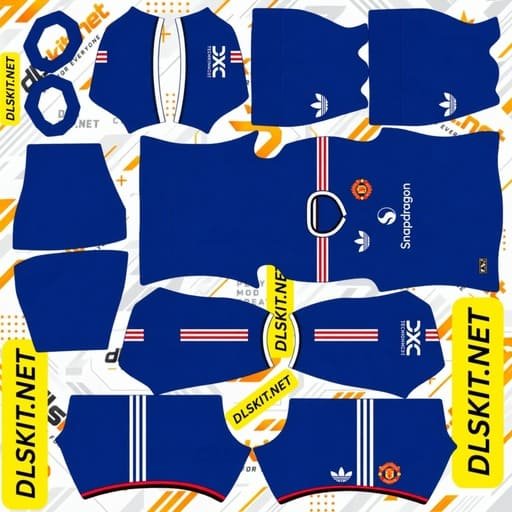
Manchester United Away Kit
Away Kit 512×512 (2026/27)
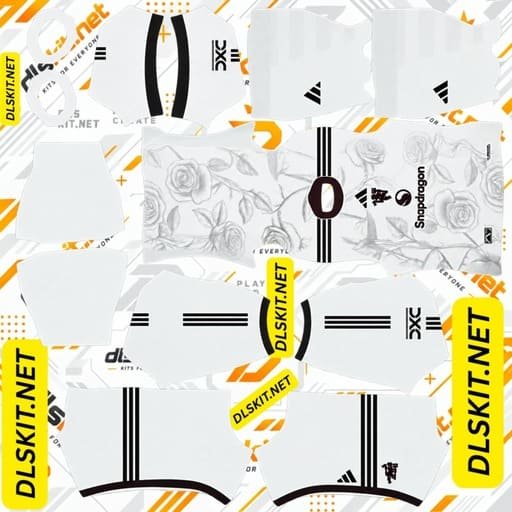
Manchester United Third Kit
Third Kit 512×512 (2026/27)
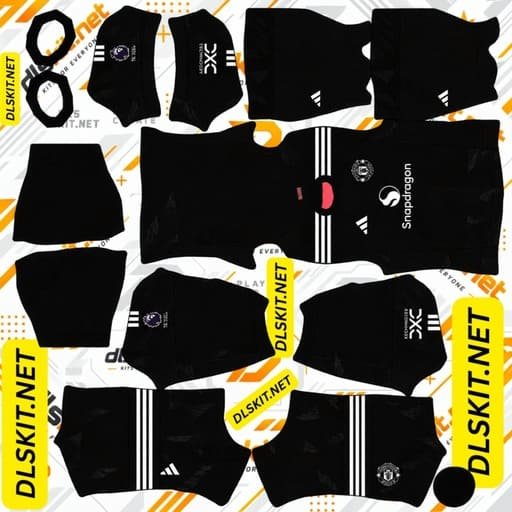
Manchester United Home GK Kit
Home GK Kit 512×512 (2026/27)
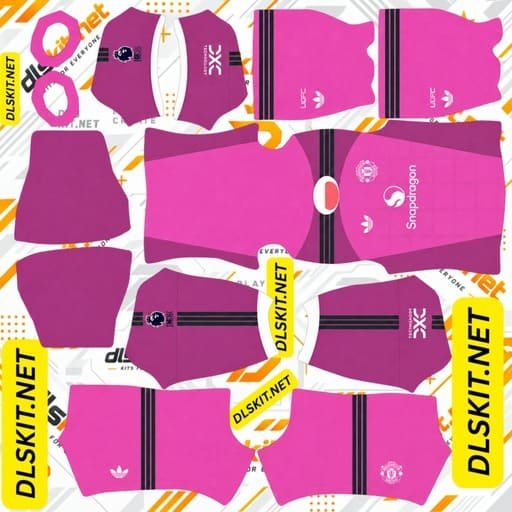
Manchester United Away GK Kit
Away GK Kit 512×512 (2026/27)
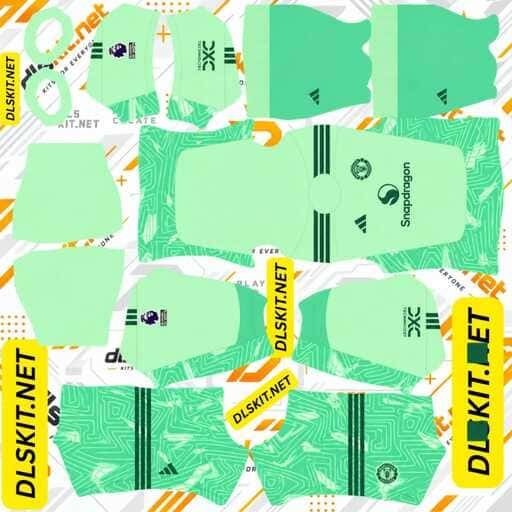
Manchester United Third GK Kit
Third GK Kit 512×512 (2026/27)
All Kits and Logo confirmed in September 2026 with club and kit sources.
What size is a Manchester United DLS kit?
512×512 pixels, saved as PNG, preferably less than 1 MB.
There is no other game that will take it. Smaller images are stretched over the player model and are received blurred, larger images generally don’t load at all. A kit file should not be transparent, unlike a badge, as the template must be filled with solid colours in each region that it maps to.
How to put a Manchester United kit into DLS
To know how to import DLS kit you can read this article.
512×512 pixels, saved as PNG, preferably less than 1 MB.
There is no other game that will take it. Smaller images are stretched over the player model and are received blurred, larger images generally don’t load at all. A kit file should not be transparent, unlike a badge, as the template must be filled with solid colours in each region that it maps to.
Putting a Manchester United kit into DLS:
Once you have a working link, it will take just 4 taps and a paste.
Use a copy button (if available) to copy the kit URL. The most common reason for an import failing is copying from your browser’s address bar, which results in the page address being copied, not the image itself.
To play the game, click My Club and select Customise. Click on Select Kit, NOT Logo, and then choose the slot you wish to change. Click and hold the URL field, paste and confirm. If the message “Image successfully downloaded” appears, it means that it worked.
The four passes are required for a complete set, each slot being dealt with individually. The button is Download on some versions, rather than Custom Kit.
The 2026/27 home kit: fifty years after 1977
The home shirt is the most traditional of the three, and was released by Adidas on 14 May 2026.
Simple red body, collar and sleeve cuffs with stripes. The reference is to United’s ’70s kits and in particular the strip they wore when they won the domestic cup in 1977, this season being the 50th anniversary. Black is used as a secondary accent, while white Three Stripes and branding are used against the red. A “United” sign-off is sewn on the back of the neck.
This is the simplest United shirt to get right from a file point of view. Flat colour, no gradients, no woven patterns. Even a slightly flawed file will hold up on the player model.
Why United are in blue for the 2026/27 away kit?
This is the time of year that will stop you from being a slave to white or black.
The away kit is royal blue, which is the club’s third kit from 1986-88. A tonal wave pattern runs across the front, sleeves and back which represents the River Irwell that runs through Greater Manchester and divides Manchester from Salford. The V-neck collar is a combination of blue, white and red, with the same stripes on the cuffs.
Red Three Stripes are on the shoulders. The white Adidas Trefoil is on the right chest with the club crest opposite, while Snapdragon is in white in the middle. The back retains the wave pattern, but space is provided for names and numbers.
Tonal means that these waves are painted in shades of the same blue, not a contrasting colour, and that is fragile. If you go below 512 pixels, they just cease to be. If there is no pattern visible on the blue shirt, it is a symptom of an undersized file, not a bad design.
The 2026/27 third kit: ivory, roses and Salford Lads Club
This shirt will be available from 14 August 2026 and is the one that will be noticed.
A floral design in soft colours has been created using hand drawn rose designs from Lancashire and is set into an ivory base. The crew-neck collar and cuffs are maroon, while the shoulder Three Stripes are dark green, which Adidas dubs Jungle Ink. The colours are both from the city; maroon from the red-brick buildings in Manchester and green from the details on local community halls.
The branding is not spread across the chest, but is stacked on top of each other down the middle of the chest, with the Adidas Performance logo on top of the Devil emblem and Snapdragon on the bottom.
A small rose is encircled by a custom sign-off, based on the arched entrance sign of Salford Lads Club, where the launch campaign was filmed, at the back of the neck. The rest of the outfit is completed with dark green shorts and ivory socks.
This is the fussy of the three as a file, for two reasons. The roses are tonal and hand drawn, and require real resolution to be read as roses and not as static. That vertical branding column is in the middle of the front panel, and a kit template lines up or doesn’t line up in the middle of the front panel.
Goalkeeper kits
The goalkeeper is given his own slot, away from the outfield three, and it is often overlooked, in Dream League Soccer.
It’s clear in the team menu, as all four are listed together, that it will be left on the default while everything else is customized. Do it at the same time as the others.
Why kit files fail when logo files work fine
This is the section that most guides fail to mention, and is where most people get stuck.
The badge is processed in a completely different way to the kit. The game cuts out a badge into a circle and places it on the chest. A kit is used as a texture map: the flat square image is wrapped around a 3D player model, and specific areas of the image are used for the front and back of the torso, and each sleeve.
That does not mean that a kit file is an image of a shirt. The shirt is disassembled and spread out. When the regions in your file don’t fit where the game expects them to be, the art ends up in the wrong place: sleeves end up picking up body detail, sponsors slide round the ribs, patterns end up breaking at the seams.
This is a good test case for United’s third kit. The logos are vertical down the centre line so if they are misaligned, it will be apparent immediately. If that column appears bent or offset, it was created with a different template than the current Dream League Soccer template.
How to spot an out-of-date Manchester United kit
There is a significant proportion of two-year-old United kits in circulation and a number of sites that provide them are not updating their pages.
The checks are quick.
If the away shirt is white, black or grey it is not this season’s. United will be in royal blue for 2026/27.
If the home shirt is crew neck (not polo) then it is older than the current design.
The third kit is not ivory and rose patterned, it is from an earlier campaign.
If a page only mentions the kits in general terms, such as a classic red shirt, white shorts and black socks, then it was probably written before the designs were released and has not been updated since.
What type of kit should your team be wearing?
Depending on what you’re looking for.
The home shirt is the most secure option. It reads in instantly and is very simple so it will survive a less than perfect file.
The third kit provides the most eye-catching side, but it’s also the least United looking of the three and the most demanding on the quality of the files.
The away shirt is placed between. It can be identified by the crest and collar trim, and looks nothing like the club has for years.
Setting the badge alongside the kit
A custom shirt with a stock crest on it detracts from the overall look. In the same way, select Logo instead of Kit.
It’s worth a mention to United’s badge. It features a banner with the club name on it, and a shield with a point at the bottom, which means that both the ends of the banner and the point are in the firing line. A file with space around the art work is intact, one that is cut close to the edges is not.
The stand-alone Devil logo avoids this altogether and remains readable at the match display’s small size. It also looks great with this season’s third kit, in which the Devil is already featured in the centre of the shirt.
FAQ
How big is a Manchester United DLS Kit?
512 x 512 pixels, PNG, less than 1MB. A kit should not be transparent and should have solid colour in each region unlike a badge.
What colour will the Manchester United away kit be for 2026/27?
Royal blue. It is a tribute to the club’s third kit from 1986-88, and features a tonal wave pattern of the River Irwell.
What would be the Manchester United third kit this season?
Ivory with a pattern of hand drawn Lancashire roses, maroon collar and cuffs and dark green Three Stripes. It was first used at Salford Lads Club and the detail copies of the back-neck were made from the arched entrance sign of the building.
How to check if a United kit file is out of date?
Look at the colour of the away shirt. If it’s white, black or grey, it’s from a previous season, as United are playing in blue this season (2026/27). Another indication of an older design is a crew-neck home shirt.
Why is there no pattern on my United kit?
The file is less than 512 pixels in size. Both the away waves and the third kit roses are tonal, and are painted in one colour; they both disappear first when a file is undersized.
Why are my third kit logos crooked?
That shirt has its branding vertically down the middle of the front panel. If the file is created on a different template, then the column will bend or move at the point where the panels join.
Does the home kit have a collar this season?
Yes. Adidas reintroduced a polo collar for 2026/27, paying tribute to United’s 1970s shirts and the 50th anniversary of their 1977 cup triumph.